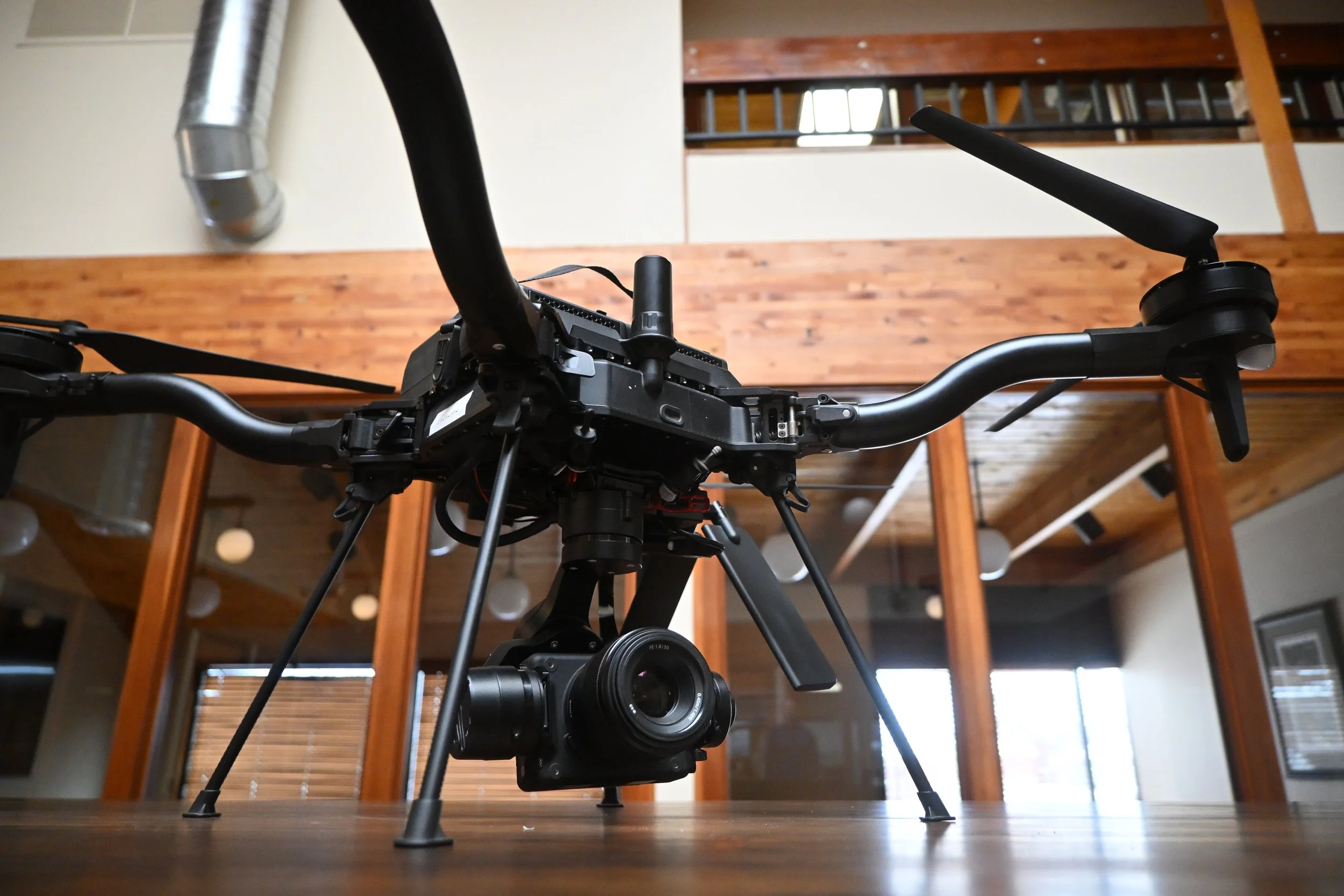
Astro with XRD2 integrated with both C2 and Video Connections
One of the leading drones on the market these days is the Freefly Astro. The Astro, like most commercial drones, operates over a RF signal, which isn’t ideal for longer-linear inspections or missions that go beyond visual line of sight (BVLOS).
A way to increase the Astro’s communication range is with the Botlink XRD2. With simple integration on the C2 side, the camera feed option is also easy so long as you get the right cabling in order to display video in Botlink’s Relay2. As a quick and easy guide follow below.
Parts List
Botlink XRD2
Freefly Astro
Sonly LR1
XT30 male connector adapter (for power)
Mini HDMI to HDMI ribbon cable
HDMI to female USB adapter
Step 1: Software Configuration (AMC)
Power on your Astro along with AMC flight control software that it uses for ground control software.
Inside of AMC, in the top left corner, you will need to press the menu button multiple times in quick succession in order to pull up “Advanced” mode (a more detailed explanation resides here).
In Advanced Mode you can go into that menu again, go to the “Advanced” section and then “Parameters.”
In Parameters search for “MAV_2_CONFIG” and set this parameter to “TELEM3” as seen in Figure 1.
Figure 2. Arrow Pointing at 3D Printed Clip w/Telem Cable Hanging Out
Step 2: C2 Telemetry and Power Integration
Once you have the software set up, you can then turn off your Astro and flip it upside down (ideally without the camera and gimbal attached to it).
On the underside there is a cable leading from the gimbal attachment to a 3D-printed clip-on cover (Figure 2) that you’ll need to get off. (It is fairly hard to pop off, we recommend taking off one side, then almost popping it back into place while you get the other side. )
After removal, you will have a port underneath this cover labeled “TELEM3” that you can connect your XRD2 telemetry cable into. Since this is on the underside, simple Velcro can be used to attach the XRD2 to the bottom of the Astro.
Additionally, if you don’t want to use external power you will need to use an XT30 male connector adapter to the power connector of the XRD2 to pull power from the Astro directly. Considering the lower power draw of the XRD2 this is the most desirable way to power the XRD2.
Figure 3. LR1 Plastic Cap and Screws Removed
Step 3: Sony LR1 Camera Connection
If you want to also get the camera feed from the LR1 camera via the XRD2 you will need a few things such as:
mini HDMI to HDMI ribbon cable. This allows you to reliably plug into the LR1 camera.
HDMI to female USB adapterto then fit a USB male to micro USB connector to get to the XRD2.
The actual mini HDMI port on the LR1 is under a little plastic tab that you will need to remove in order to access. This plastic piece and the extra wires next to the gimbal makes it more risky for flying in a more chaotic environment. How we currently have it set up as seen below (Figure 3), we would recommend reducing the gimbal speeds on the Astro controller to mitigate the risk of the cables getting tangled.
Figure 4. Red Arrow Pointing to mini HDMI Port
Step 4: Sony LR1 Camera Connection (cont.)
Now you need to plug in all the cables as mentioned before. See below for a flow chart showing the different cables to get from the LR1 to the XRD2 and to the left to see what the physical cables look like when connected with the XRD2 omitted from the image.
After following these steps, you will be set up to integrate the XRD2 to the Asto drone for both C2 and video. The camera feed will be something more similar to what you’d expect from a camera as shown below in the video and not a clear image with no lettering like on AMC.
The XRD2 should require little to no configuraiton updates to work with the Astro and AMC system. The XRD2 will auto-scan autopilot messages to identify baud rate settings, and AMC (QGroundControl) is by default setup to listen to port 14550.
To further customize the connection configuration, please see https://botlink.gitbook.io/xrd2
Ready to take your Freefly Astro BVLOS? Reach out to Botlink’s technical team to get started!